Live at St. Paul’s · Woraiyur

A church site the office keeps itself.

A public website for the congregation — plus an integrated content management system. The secretary updates news, photos, and notices. Nobody waits for an IT person.
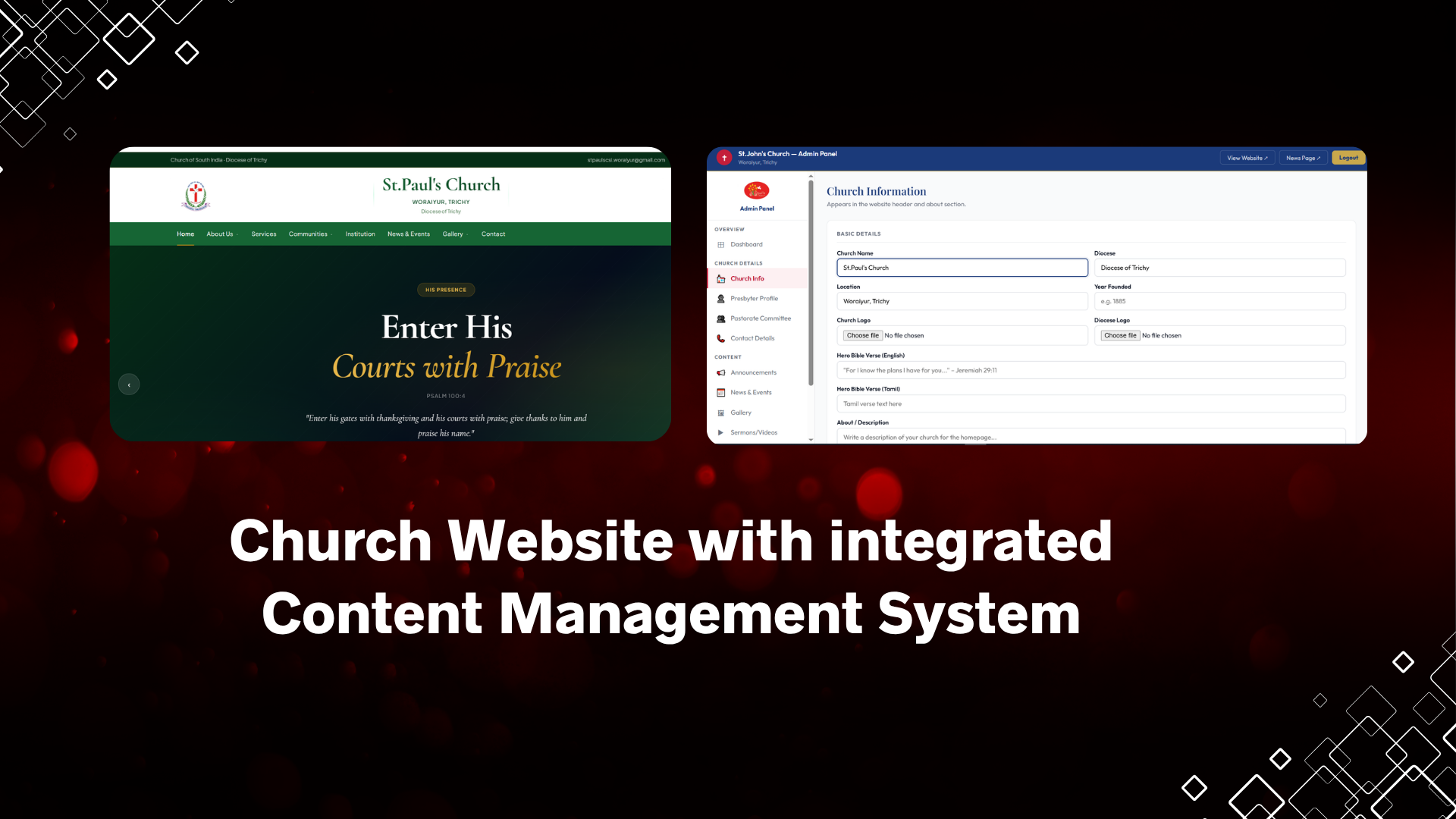
Church website with integrated CMS
Not the operations app

This is what the world sees.

Members, receipts and accounts live in the Church Management System. This product is the parish’s public face — worship times, fellowships, news, and photos.

For visitors

Find the church, the next service, the presbyter, and how to get there — on a phone.

For the office

A simple admin login. Change a notice, add a poster, swap a photo. Save. The site updates.

For the PC

No retainer for “please put this on the website.” The team already has the keys.

Integrated CMS

The church team is the webmaster.

A password-protected admin sits next to the public site. No code, no hosting panel, no waiting for a developer to post Sunday’s notice.

Login, edit, publish.

Dashboard, then the page you need: church info, presbyter, committee, contact, ticker, events, gallery. Backup as a JSON file when you want a spare copy.

Built for CSI parish life.

English and Tamil on the public pages. Diocese line in the header. Fellowships and Sunday School as first-class pages — not a generic blog.

  • Announcements ticker on every page
  • News and events with poster images
  • Gallery with categories (functions, baptism, Christmas…)
  • Presbyter profile and pastorate committee
  • Phone, email, maps, Facebook, YouTube
Church website and CMS together
The public site

Fourteen rooms. One parish story.

Each church gets its own pages and colours. St. Paul’s is the live example — CSI identity, bilingual verses, mobile layout.

Home

First screen: welcome, not a menu dump.

Identity at the top

Diocese and church logos, CSI line, phone and email. Visitors know whose house they have entered.

A verse they can share

Hero slides in English and Tamil. Worship and Find Us as the two obvious next steps.

About

History and vocation

Dedicated pages for the church story and vision — written once, not buried in a Facebook album.

The presbyter, kept current

Name, photo, qualification, bio, phone. When a new pastor arrives, the office edits the CMS. The profile page follows.

  • Pastorate committee on the home page
  • Secretary and treasurer marked as officers
  • No developer ticket to change a phone number
Who updates it

Secretary, not a technician.

  • One admin login for the church team
  • Forms they already understand: name, photo, date, poster
  • JSON backup if they want a spare copy of the content
Worship & parish life

The week, in plain pages.

Services

Sunday and weekday timings. The page visitors screenshot and send on WhatsApp.

Fellowships

Women, youth, men, Sunday School, choir — each with its own page, not a single dump.

Institution

Room for the hospital or school the parish is known for.

News & gallery

Posters go up the same afternoon.

Events with a date and a picture

Title, type, date, place, description, poster. Home shows the latest three. The news page lists them all.

Gallery the family can browse

Categories the office names: functions, confirmation, baptism, Christmas. Tabs filter; captions stay with the photo.

Find us

Phone, map, and the two channels that matter.

Contact details are CMS fields. Change them once; header, footer, and contact page stay in step. Facebook and YouTube if the church uses them.

Related

Need the office behind the curtain?

A site like this for your parish.

Send your details. We will talk through pages, colours, and who on your team will run the CMS — without an IT person on call.